
If your work already lives in Codex and ChatGPT, OpenAI’s Dots is a natural agent to investigate. If you want an approachable personal assistant with WhatsApp access, Meta’s Muse deserves a look. That is the practical split in Nate Herk’s comparison of the two products, published on 30 September 2026.
There is a naming distinction worth making first. Dots and Muse are agent products. Muse Spark is a model: Herk identifies Spark 1.3 as the model powering Muse in his review, alongside GPT-6 Astra for Dots. Comparing “GPT Dots vs Muse Spark” therefore involves both the software you use and the model behind it.
This article draws on Herk’s short hands-on review and Meta’s published product information. It is not a KyoubeAI benchmark or an independent test of either signed-in app. The review captures an early version of both products. Meta subsequently announced Muse Wonder on 12 October, with a rollout to Muse planned to begin with subscribers. Check the model and plan available in your account before applying a September verdict to a purchase today.
Compare the agent and the model separately
Herk describes both products as persistent cloud agents with their own computers. They can work in the background, use connected services and produce files or other outputs. In his walkthrough, those outputs include documents and interactive dashboards.
The model contributes to how well an agent reasons, writes or codes. The surrounding app determines how you assign work, inspect its progress and intervene when something goes wrong. A stronger coding model will not, by itself, give you a clear queue of approvals or put a task into the right project.

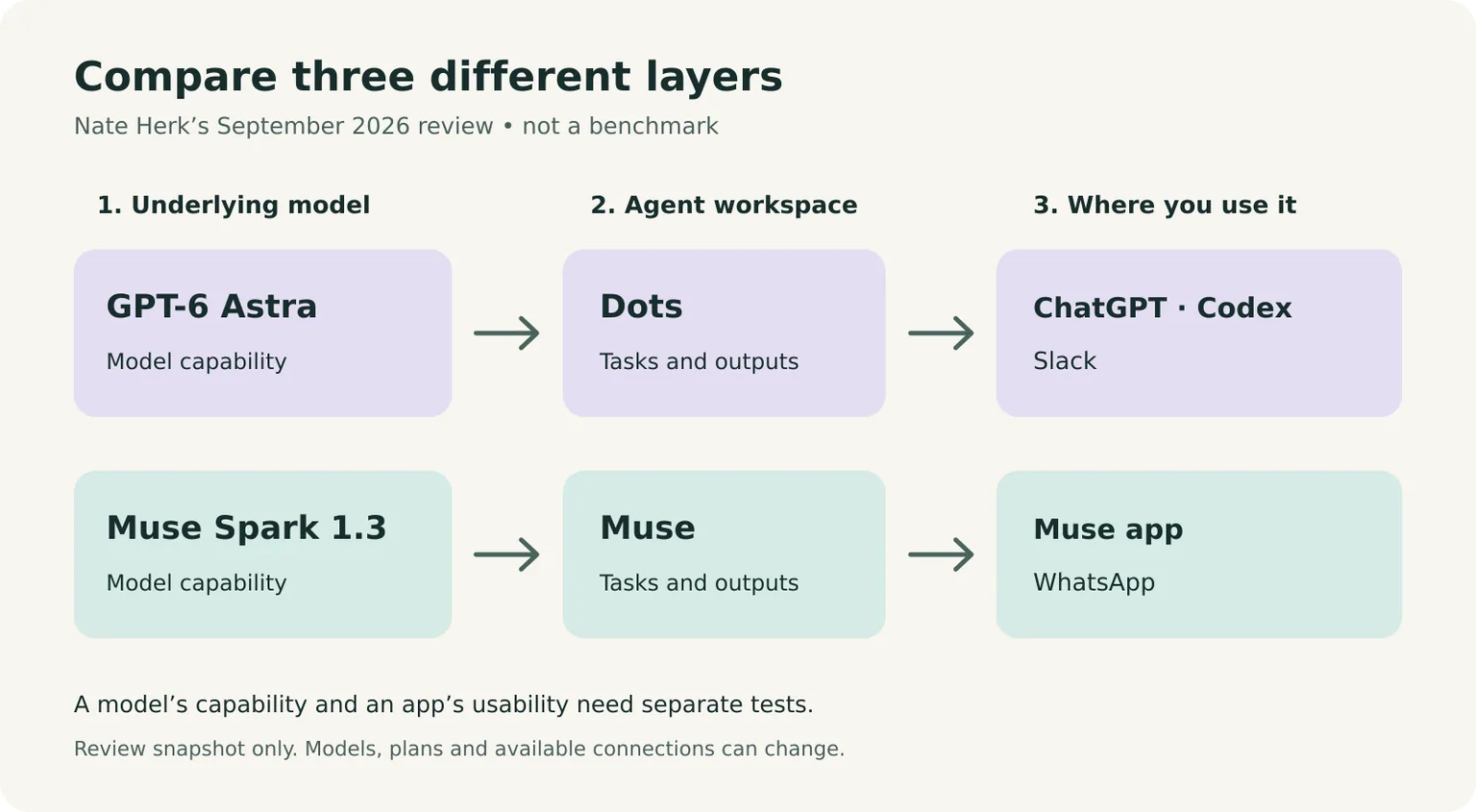
Herk’s preference illustrates that distinction. He would choose Dots for himself because he already works heavily in Codex. He prefers Muse’s interface and would recommend it to less technical people. Those conclusions can coexist: a person with an established coding workflow has different needs from someone setting up their first personal assistant.
| Question | Dots in Herk’s review | Muse in Herk’s review |
|---|---|---|
| Where does it fit? | Existing ChatGPT and Codex work | A dedicated personal-agent app and Meta services |
| How can you message it? | ChatGPT and a demonstrated Slack connection | Muse app and a demonstrated WhatsApp connection |
| What stands out about memory? | Starts with existing ChatGPT memory | Visible, editable memory and a separate persona file |
| How does the interface feel to him? | Useful work connections, with early usability problems | Clearer organisation for schedules, approvals and outputs |
| Who would he steer towards it? | People already working in Codex | Less technical people exploring a personal assistant |
These are observations from one reviewer’s setup. They do not establish that every integration, permission or plan is available to every user.
Start with the tools you already use
In the communication section of the review, Herk adds his Dot to Slack and shows it responding in a thread. He also demonstrates a WhatsApp conversation with Muse. The interaction appears in Muse as a separate, view-only channel conversation, distinct from its main chat.
That difference affects where delegation fits into your day. If a project discussion happens in Slack, being able to assign a coding-related task there could save a round trip through another app. If you prefer sending an assistant a message from your phone, WhatsApp may be the more comfortable starting point. Meta’s Muse product page also describes messaging through its app and WhatsApp.
A connector’s presence is only the beginning of the evaluation. Check which information it can read and what actions it can take. Inviting an agent into a team channel does not establish that it has the right access to every linked document, or that it should see the whole channel history.
For a first trial, use a test channel and non-sensitive material. Ask the agent to produce a draft or a file, then check where the result appears. Record whether you can find it again without asking the agent to reconstruct the conversation.
Check what the agent remembers
Herk’s Dot begins with context from his existing ChatGPT memory. That gives it a head start, but he finds some of the information stale. He wants to connect it to his current files and Codex context to reflect what he is doing now.
In Muse, he shows an identity area with separate memory and persona files. The memory contains facts, preferences and commitments; the persona file describes how the assistant behaves. He values being able to inspect and edit those directly.
For work, the useful question is whether you can correct a mistaken assumption and see the correction persist. Try changing a harmless preference, such as the format of a weekly summary. Ask what the agent retained, correct it, and return in a later conversation to check the result.
Company facts need more care. A remembered price, deadline or customer commitment can become wrong even if it was accurate when first recorded. Keep authoritative information in an approved record the agent can consult, and ask it to distinguish that record from a remembered preference.
If several people will use the agent, also check whose memory it uses and what becomes visible to others. Personalisation that works well for one person needs a separate permissions assessment before it becomes a team workflow.
Look at the work between messages
The Muse walkthrough shows dedicated areas for approvals and schedules, alongside chat, identity and saved outputs. Herk finds that organisation easier to navigate. It gives the user somewhere to look for pending work without having to ask the assistant what is happening.
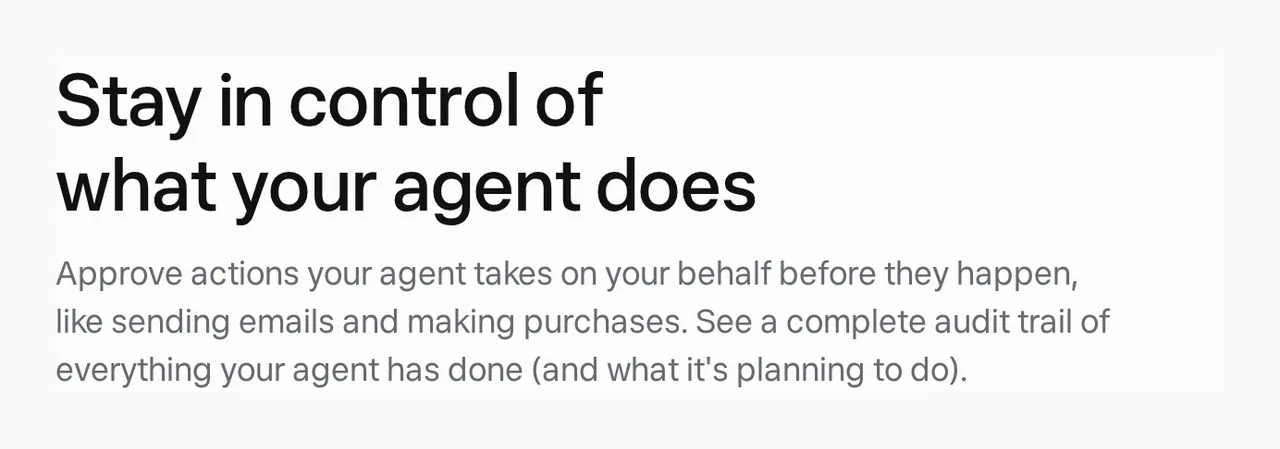
Meta’s public product page describes approval before actions such as sending email and making purchases, plus an audit trail of completed and planned actions. That is a vendor description, not a security result we have independently verified.

In the Dots walkthrough, Herk encounters a different experience. He struggles to find the schedule-management view the agent tells him to use. He also shows tasks starting as Codex threads without appearing inside the project where he expected them.
Those examples are more informative than calling an interface “good” or “bad”. They suggest concrete checks: can you locate a scheduled task, change it and stop it? Does delegated work land in the right project? When the agent explains its own controls, do those controls exist where it says they do?
Treat his failures as test cases for your trial, rather than proof that the current product still has the same bugs. He explicitly describes a short period of use and says Dots already feels better than it did the previous day.
Before enabling consequential actions, check what the approval covers. You should be able to inspect the recipient and exact content of a message, reject it, and confirm that rejection stops the action. Test access removal too. A clear approval screen helps, but it does not replace appropriate permissions.
Treat pricing and performance as a dated snapshot
At 6:58 in the review, Herk says he can evaluate Muse on a free tier, while creating a Dot requires a paid subscription in his setup. Meta’s launch announcement likewise describes free use with subscriptions for people who need more.
That makes Muse an accessible starting point in his comparison. It does not establish the current allowance, the cost of your workload or which features a particular plan includes. Check current limits, regional availability and how background work is charged before connecting a recurring task. A token allowance alone will not tell you how many useful tasks you can complete.
Herk also favours Astra for coding and automation, while considering Spark suitable for routine knowledge work. We have not reproduced that comparison. Without the same prompts, model settings and scoring method, it should remain his assessment rather than a numerical ranking in this article.
The later Muse Wonder announcement is another reason to avoid a permanent model verdict. Meta says the new family builds on Spark and will power more Muse experiences, beginning with subscribers. The model available to you may differ from the one in the video.
Measure the result your team needs: a correct file, a usable draft or a completed task that a person can verify. Include the time spent correcting the output and finding out what happened. A fast answer that needs several repairs may be less useful than a slower one you can inspect and accept.
Choose with a small, repeatable trial
Use the same small assignment in both products, with equivalent access. For example, give each agent a fictional project brief and ask it to draft a weekly update, save the result and prepare a follow-up question about a missing deadline. Keep sending disabled.
Then check whether it:
- Uses the supplied facts and leaves the missing deadline unresolved.
- Saves the output somewhere you can find and edit.
- Applies a correction without losing the earlier context.
- Makes scheduled work visible and lets you cancel it.
- Stops when access is removed or an action is rejected.
For someone already relying on Codex, Dots is worth testing first for continuity with that work. Muse is worth testing first if an approachable personal-agent interface and WhatsApp are the priorities. Herk’s review supports that starting order; it does not settle which product will perform better on your tasks.
If the assignment involves several employees, shared records and handoffs, evaluate those requirements explicitly. The video mainly examines a personal-assistant experience. Our guide to implementing AI in an organisation covers a wider rollout, while sales follow-up with AI employees gives an example of a workflow with shared records and human review. KyoubeAI is an AI operating system for organisations where people and AI employees share tasks, company data and apps.
Sources
- Nate Herk: I Tested OpenAI’s Dots vs. Meta’s Muse. What You Need to Know., 30 September 2026. Primary reference for the comparison and attributed hands-on observations; linked, not embedded.
- Meta: Introducing Muse, 8 September 2026. Vendor description of the agent, Muse Spark, permissions and availability.
- Muse public product page, checked 26 October 2026. Source for the screenshot and public descriptions of WhatsApp access, approvals and audit history.
- Meta: Introducing Muse Wonder and Muse Wonder Full, 12 October 2026. Subsequent model announcement and stated rollout plans; not evidence that every Muse account has switched models.